
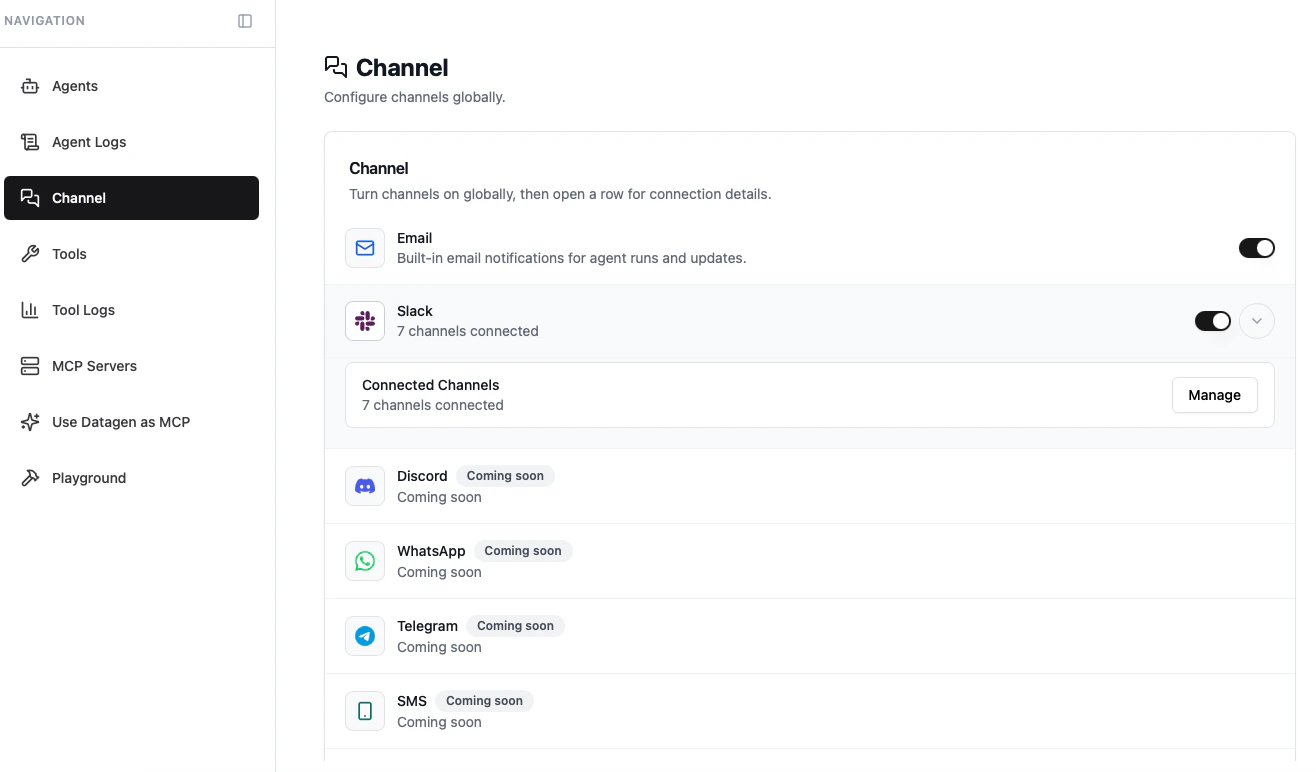
Supported Channels
Each agent gets a unique email address. Send an email to trigger it, receive results in your inbox, and reply to continue the conversation.
Slack
Connect your Slack workspace. Agents post results to channels, and you can trigger them with
@DataGen mentions or thread replies.Discord, WhatsApp, Telegram, SMS, and LINE are planned for future releases.
Email (Global)
Email is enabled by default for all deployed agents. Toggle it on or off from the Channel page.How It Works
- Each agent gets a unique email address (e.g.,
agent-name@agents.datagen.dev) - Send an email to that address to trigger the agent
- The agent runs, then replies to your email thread with results
- Reply again to continue the conversation
Slack (Global)
Connect Your Workspace
1
Start OAuth Flow
Go to the Channel page in DataGen and click the Slack toggle to connect.
2
Authorize DataGen
Sign in to your Slack workspace and grant permissions. DataGen requests access to read channels, post messages, and receive mentions.
3
Add Channels
Click Add Slack channels to select which channels are available for your agents.
Using Slack with Agents
Once connected:- Mention
@DataGenin a channel to trigger the default agent for that channel - Reply in a thread to continue a conversation with the agent that posted
- Results appear as threaded messages, keeping your channels organized
Bring Your Own Bot (BYOB)
If you want to use your own custom Slack app instead of DataGen’s default bot, you can configure a custom Slack app with your own branding and permissions.Next Step
Per-Agent Channel Config
Customize channel settings for each individual agent